Scope Measurement
Hints
How
to prevent your scope from aliasing
Here
are a few things you can do to help ensure that your oscilloscope
waveform is not aliased:
1.
Check for a stable trigger. Aliased waveforms sometimes appear to
drift across the oscilloscope screen or look "untriggered".
2.
Make sure the scopeís effective sample rate is as fast as possible.
Most oscilloscopes decrease their effective sample rate as the time/div
is slowed. (Note that repetitive scopes can have a high effective
sample rate, even with a low actual sample rate). If you suspect
an aliased waveform, increase the sweepspeed to ensure that the
scope is sampling as fast as possible for proper display of the
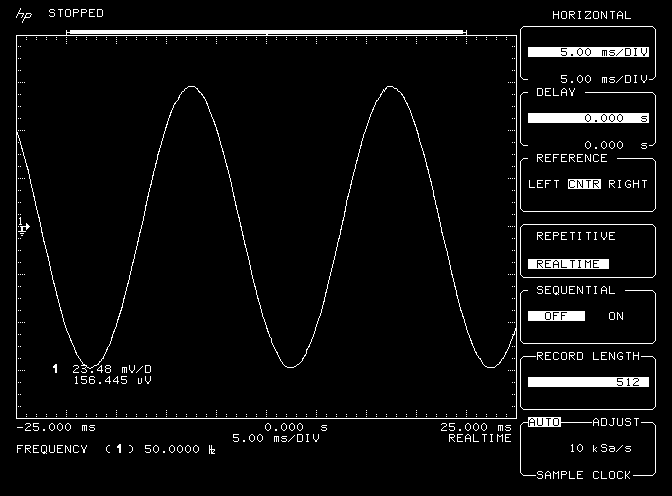
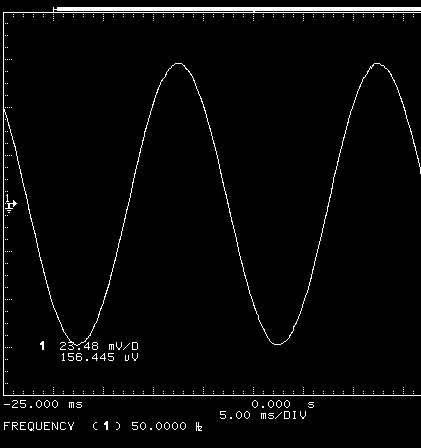
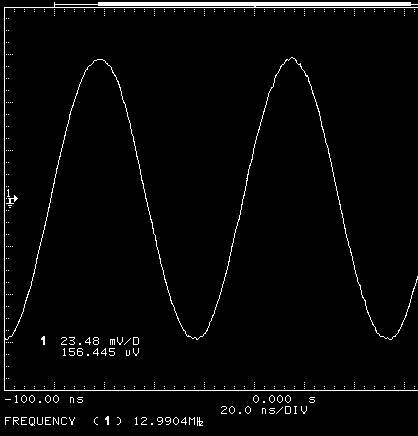
waveform. For example, Figure 1 shows an aliased waveform at 5 ms/div.
The actual signal is 13 MHz but the scope measures 50 Hz! At this
sweepspeed the scope is sampling at 10 kSa/s, severely violating
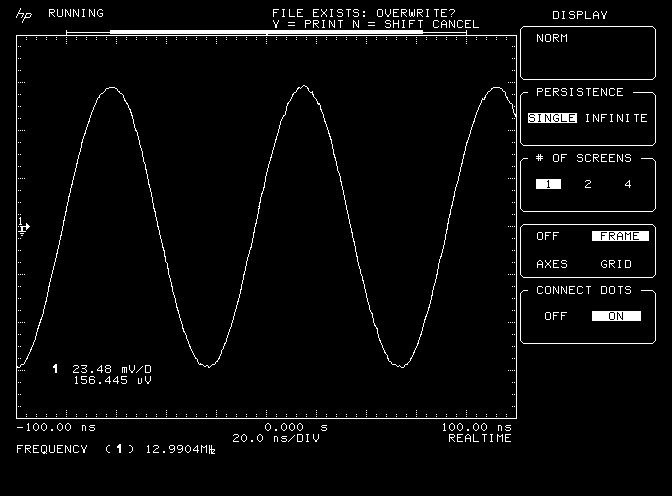
the Nyquist* criteria. Figure 2 shows the same signal at 20ns/div.
At this sweepspeed the scope is sampling at 2GSa/s. The scope displays
the correct signal and measures the correct frequency, 13 MHz.
Figure
1
Figure
2
3.
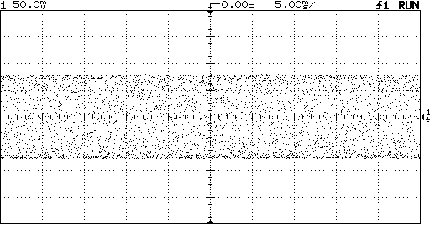
Some oscilloscopes employ techniques to prevent aliasing. HP 54600-
series oscilloscopes use a patented proprietary algorithm to reduce
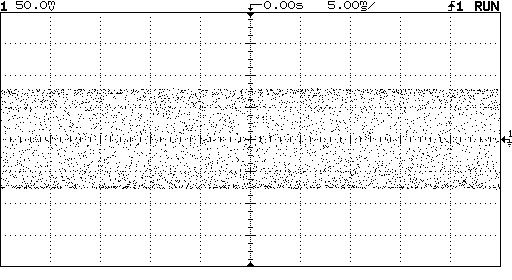
aliasing. In Figure 1 the signal is aliased. Figure 3 shows the
same signal on an HP 54600B oscilloscope. The waveform is not aliased
at the same sweepspeed due to the anti-aliasing algorithms.
Figure
3
4.
Another method for determining if aliasing is occurring is to put
the scope in peak detect mode. Peak detect maintains the maximum
sample rate and plots the max/min values on display. Using peak
detect, no "alias" will appear.
*
The Nyquist sampling theorem states that for a baseband signal to
be faithfully reproduced in sampled form, the sample rate must be
greater than twice the highest frequency present in the signal.
|